Astrape for Mac
Astrape Companion for Mac
A small Mac app that works with Astrape on your Apple TV. Free.
Version 1.0 · 28.3 MB · macOS 14 or later

The Martian
2015 · 4K · Dolby Vision · Dolby Atmos
Living Room · Astrape
What it does
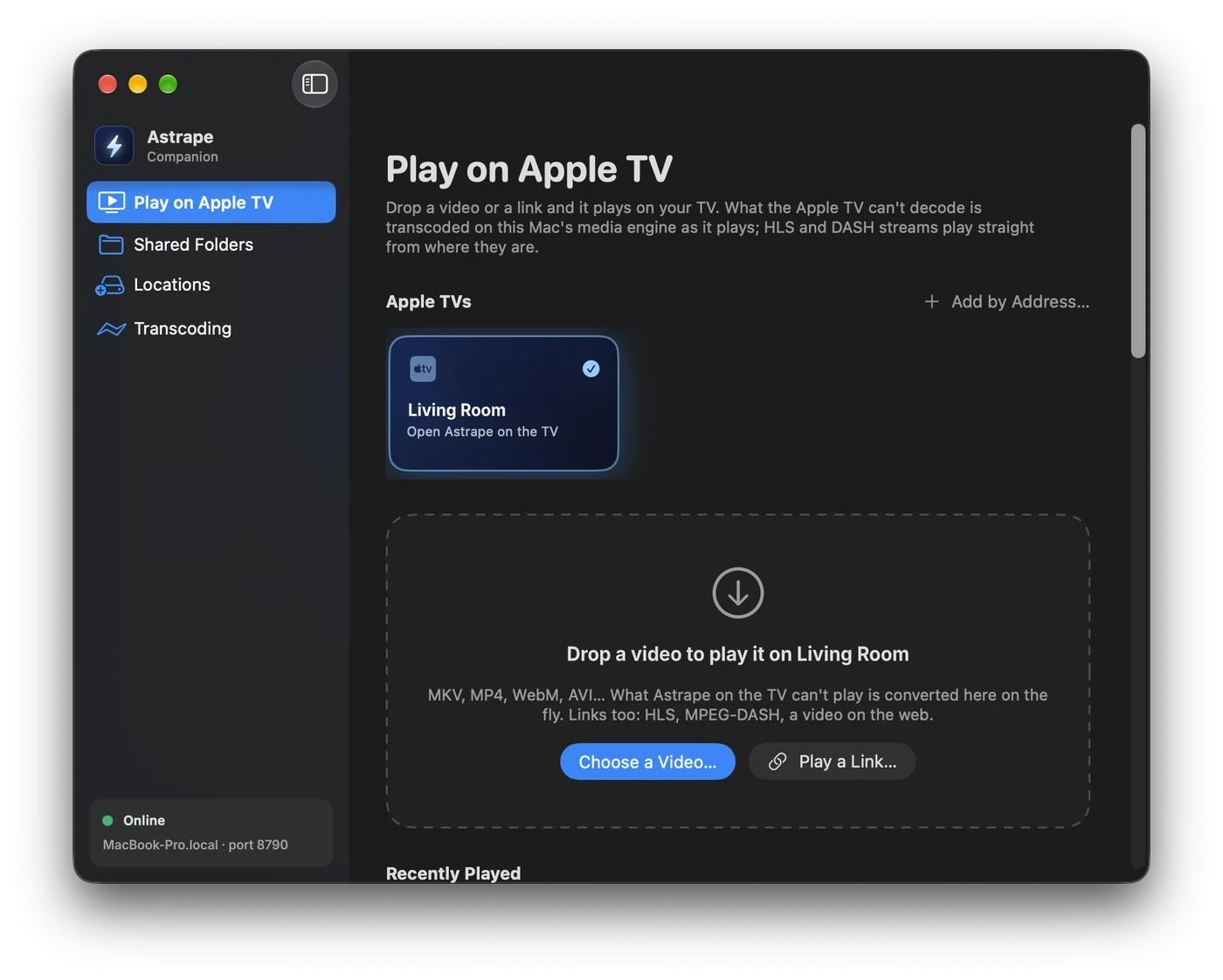
- Sends a video to your Apple TV. Drop a file on the window, the Dock icon or the menu bar, or use the Share menu, and it plays on the TV. Links play too.
- Shares folders from your Mac. The Apple TV finds the Mac on your local network by itself and adds the shared folders as a location. Nobody types an address.
- Converts what the Apple TV will not play. When a video is in a format the Apple TV refuses, the Mac converts it for the TV while it plays, using the Mac's own video hardware.
- Adds servers and streams to the Apple TV from the Mac, with a real keyboard, so you can skip typing them with the remote.
Install
- Open the downloaded file.
- Drag Astrape Companion to Applications, then open it from there.
- On your Apple TV, open Astrape. The first time the Mac asks for something on the TV, pair them with the Web Remote's PIN, or allow the Mac on the TV.
Updates install by themselves while nothing is playing. You can turn that off in the app's Settings.
It needs macOS 14 or later, and Astrape on your Apple TV. Your Mac and Apple TV talk to each other on your local network.